Many universities of technology utilise the Blackboard VUT platform for students to be able to access their qualification-related content, also to submit their assignments - for example the VUT Vutela Blackboard.
What is VUT Vutela Blackboard VUT?
The Vutela Blackboard is the online service that VUT makes available for students to keep up to date with their varsity work. Students who transfe from other universities will probably have used the Blackboard website before. The VUT Vutela Blackboard is a version that has been customised to sbe suitable for VUT students specifically.
Students will use the VUT Blackboard for many things including receiving messages about courses, study materials, online communications tools, online assessments, and a number of others as well.
First steps: VUT Blackboard Login
How To Login to VUT Blackboard
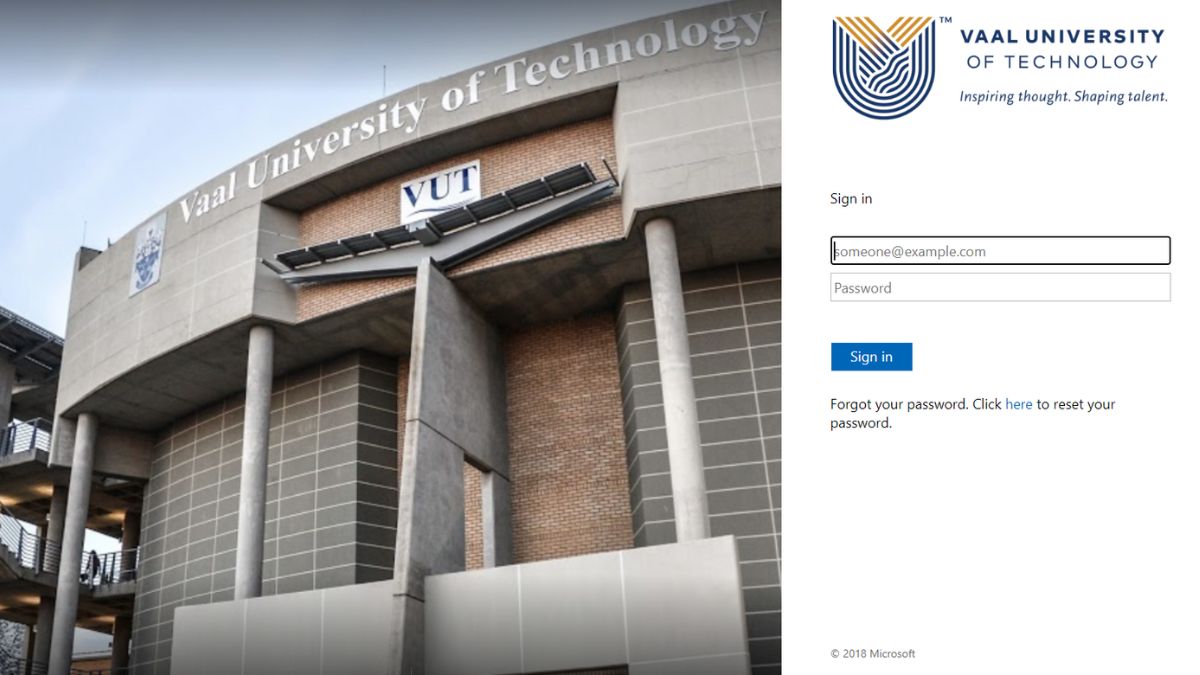
If you are a new Vaal University of Technology (VUT) student, follow these steps to access the VUTela blackboard platform:
- Go to VUTela platform
- Enter your VUT username ([email protected])
- Enter your password
- Now click on 'Sign in' to the Vutela Blackboard
VUT Blackboard is a platform used by both students and staff members at the university. Don't forget your Vutela login.
What is a Learning Management System?
A Learning Management System (LMS) is a software application that helps manage and deliver online courses. It provides a platform for educators and trainers to create, manage, and deliver content, as well as track and assess learners' progress. An LMS can be used in a variety of settings, including schools, universities, corporate companies, and government agencies. It offers a range of features, including course creation tools, content management, communication tools, and assessment and reporting tools.
Blackboard is a Learning Management System (LMS) used across universities of technology in South Africa. VUT Blackboard is the localised version of an LMS that is used by VUT.
What Are The Benefits Of Using A LMS Like VUT Vutela Blackboard Login?
There are many benefits to using a Learning Management System (LMS). One of the main benefits is that it allows for flexible and convenient learning. Learners can access course materials and complete assignments at their own pace and on their own schedule.
Vutela Login
Additionally, an LMS can help reduce costs associated with traditional classroom-based training, such as travel and accommodation expenses.
It also allows for easy tracking and reporting of learner progress, which can help educators and trainers identify areas where learners may need additional support or resources. Overall, an LMS can help improve the effectiveness and efficiency of online learning programs.
What Can You Find On The VUT Blackboard Login?
While you may be able to access your academic content, attend online classes and submit assignments on it, students and lecturers also receive important communications and events happening at the institution.
It is said that there is an expectation for students to complete online tests via the VUT Blackboard login, as well as make use of the forums tools to interact with their peers who are also registered for the same modules, on Vutela Blackboard login.
1. Information About The Academic Year
- Course List: Once logged in, you’ll see a list of your enrolled courses on the dashboard. Click on any course to access its specific content.
- Announcements: Check the announcements section for updates from your lecturers or the university.
- Calendar: Use the calendar to keep track of assignment deadlines, tests, and other important dates.
2. Accessing Course Materials:
- Course Content: In each course, you’ll find folders containing lecture notes, slides, readings, and other resources. Navigate through these folders to access the material.
- Multimedia: Some courses may include video lectures or audio recordings. Ensure you have the necessary software or plugins to view or listen to these.
3. Participating in Discussions:
- Discussion Boards: Engage in course-related discussions by posting on the discussion boards. This is a great way to interact with your classmates and ask questions.
- Groups: Some courses may have group work. Blackboard allows you to collaborate with group members through tools like group discussions, file sharing, and more.
4. Submitting Assignments:
- Assignments Section: Find the assignments section in your course. Click on the relevant assignment to upload your work.
- Submitting Work: Follow the instructions to upload your document, and make sure to click 'Submit' once you’re done. You can usually upload multiple files if required.
- Plagiarism Check: Some submissions may require a plagiarism check via tools like SafeAssign, integrated into Blackboard.
5. Taking Tests and Quizzes:
- Online Tests: Your instructors may set up online tests or quizzes on Blackboard. These are typically found under the 'Tests' section of your course.
- Time Management: Ensure you are aware of the time limits and deadlines for these tests.
6. Checking Grades:
- My Grades: Use the 'My Grades' tool to view your grades for assignments, tests, and other activities. Feedback from your lecturers will also be available here.
7. Communicating with Lecturers:
- Email: You can use Blackboard to send emails to your lecturers or classmates.
- Messages: Some courses may have a messaging feature for quick communication within the course environment.
8. Technical Support:
- Help Resources: If you encounter any issues, Blackboard provides a help section with tutorials and FAQs. Additionally, VUT’s IT support can assist with technical difficulties.